TEFAL أوبتيغريل+، شواية ذكية، نتائج مثالية

أوبتيغريل+، شواية ذكية، نتائج مثالية نتائج شواء مثالية، من قليل النضج لنضج كامل
تقدم أوبتيغريل+ نتائج شواء مثالية في كل مرة. بفضل تقنيتها الحصرية، تقيس هذه الشواية الذكية سمك طعامك مثل اللحوم أو الأسماك أو الساندويتشات بالملليمتر وتحسب عدد القطع وتضبط تلقائيًّا زمن الطهي للحصول على نتائجٍ مثالية دون إخفاق. بفضل ستة برامج للطهي التلقائي وألواح بزاوية تساعد على تصريف الدهون، تقدم شواية أوبتيغريل+ مجموعةً متنوعة من الوجبات الصحية واللذيذة في المتناول. ومع دخانٍ أقل بنسبة 2% عن الشواية الاعتيادية، فهي مثالية للاستخدام في الأماكن المغلقة!

الرقم المرجعي: GC7178G1

نتائج شواء مثالية مضمونة

توفر أوبتيغريل نتائج شواء مثالية تمامًا كما تريد. تقيس تقنيتها الحصرية سمك طعامك، مثل اللحوم أو الأسماك أو السندويتشات بالملليمتر، وتحسب عدد القطع وتضبط تلقائيًّا زمن الطهي لنتائج مثالية دون إخفاق. تضم هذه الشواية الذكية، الممتازة للأسرة بأكملها، 6 برامج طهي تلقائية ولا تتطلب متابعة!
الأساسيات
  • نتائج شواء مثالية، من قليل النضج لنضج كامل

    تضبط أوبتيغريل+ تلقائيًّا زمن الطهي للحصول على نتائج شواء مثالية، بدءًا من الطهي قليل النضج إلى كامل النضج!

  • تقنية حصرية

    تقيس أوبتيغريل+ سمك طعامك بالملليمتر، وتحسب عدد القطع، وتضبط تلقائيًّا زمن الطهي.

  • لا تحتاج إلى مراقبة

    ما عليك سوى اتباع مؤشر مستوى الطهي مع 6 برامج تلقائية: اللحم الأحمر، والبرغر، ولحم النقانق، والدواجن، والسمك، والسندويتشات.

  • سهولة التنظيف

    صينية عصارة وألواح ضد الالتصاق وآمنة للتنظيف بغسالة الصحون لتنظيف بلا عناء.

  • شواء صحي

    استمتع بدهون أقل بنسبة تصل إلى 44%،* بفضل ألواح مُصمَّمة بزاوية تساعد على تصريف الدهون. *وفقًا لاختبار داخلي تم إجراؤه في مارس 2021. استند الاختبار إلى قطعة برجر بها دهون بنسبة 20%، قبل وبعد الطهي. يعتمد جمع الدهون على جودة اللحم ومستوى الطهي المختار.

  • إصلاح لمدة 15 عامًا

    مُنتج مصمم لضمان سهولة التصليح مع تكلفة أقل وسرعة تسليم قطع الغيار لمدة 15 عامًا وأكثر، وذلك بفضل وجود أكثر من 6500 مركز تصليح في جميع أنحاء العالم.

  • دخان أقل حتى الضعف

    بإنتاجها دخانًا أقل بنسبة تصل للضعف من الشواية التقليدية بالأماكن المغلقة، تنتج أوبتيغريل+ شواءً مريحًا بلا دخان في أي وقت!

  • إلهام لا محدود

    اكتشف تطبيقًا مخصصًا يقدم مئات الوصفات المخصصة والأدلة الموضحة خطوة بخطوة لتحضير كل وصفة بنجاح.

الميزات
تفاصيل نظام الطهي التلقائي 6  
Power 1830-2180  W
الألوان أسود  
برامج الطهي لحم أحمر، برغر، نقانق، دواجن، سندويتشات، سمك  
سطح الطهي 600 سم2  
الهيكل ستانلس ستيل  
نوع القابس المملكة المتحدة  
Voltage 220-240  V
التردد 50-60  Hz
التعليمات والدليل
أسئلة شائعة
The WiFi icon, especially visible from the home screen, indicates whether your product is connected or not.

WiFi icon crossed outThe product is not connected.
WiFi icon exclamation markThe product is connecting.
WiFi iconThe product is connected.
Your account, to be created from the app, allows you to benefit from additional services related to the interaction of your app with your product:
• Find the recipes saved in your notebooks and favourites directly on the robot's screen.
• Follow remotely the progress of the recipe on your product and receive recipe notifications.
• Display on your product a recipe that you have selected in the application.


From the home page of your device, go to "Settings" and select "Associate an account".
• Download the application on your smartphone from the Google Play store or the App Store.
• From the app, add the product you own and then create an account or sign in.
• An association code is generated. Enter it in your application.
Even if your product doesn't need a very fast WiFi connection to work, the received WiFi signal must still be stable.
If the screen displays a connectivity error, you can move the product closer to your box or add a WiFi repeater (see FAQ 'I don't have WiFi access in my kitchen').
If your product loses the WiFi connection during a recipe, you will be able to finish your recipe without any inconvenience.
However, the videos of that recipe will no longer be accessible until the connection is re-established.
If the WiFi connection is interrupted during an update, this cannot be completed. Your product will be able to reboot to its current version and this update will be rescheduled the next time you start it.
If your smartphone loses internet connection (WiFi or 4G) during a recipe it will have no impact on your product which will be able to execute the recipe without any problem. You will simply no longer be able to follow the progress of the recipe remotely on your smartphone and you will no longer receive notifications about the end of a step or the addition of an ingredient.
Your product can only be associated with one account.
However, any application that is connected to this account can interact with this product.
If you have a tablet and a smartphone, or if other members of your household want to interact with your product, they can simply connect their application using your account.
As soon as an update is available, your product when it connects to the WiFi will suggest you to do the update.


Some updates are priorities for security reasons and you will need to perform them before you can use your product.
Others may be delayed. You can then perform them now or later by going to your product's settings.
If an update fails, you can download it again.
If despite several attempts you are unable to install it, move the product closer to your box, the connection from your kitchen may be too weak to download it.
If the update fails even close to your box, please contact our customer service.
Yes, your device can be used with several smartphones or tablets, even if your product can only be associated with a single account.
So if you own a tablet and a smartphone, or if other members of your household wish to interact with your product, they simply need to connect their application using your account.
If your product is associated with your user account, you will be able to follow the progress of your recipe on your application.
You will also receive end-of-stage or alert notifications.
If you do not receive these notifications, please enable them in your iOS or Android settings.
To remotely send a recipe from your application to your product, simply open a recipe and click on the icon with your product.
If your product is on standby, it will open on your product as soon as it connects to Wifi.
If the product is running, it will be displayed in a few seconds if your product is not already making another recipe.
Place your device on a flat, stable surface.
To obtain an optimal connection between your device and your box, it is recommended to position your device in a place where the Wifi signal received from your box is strong. You can test the connection by positioning your smartphone at the location of your product to see if the WiFi signal received at that location is strong enough.
If the connection is interrupted (connection symbol crossed out), please bring your device and your box closer together to reestablish the connection.
The presence of the fixed connection indicator (application or product) ensures that your devices are connected.
If your product loses the WiFi connection during a recipe, you will be able to finish your recipe without any inconvenience.
• From the home page of your appliance, go to "Settings" and select "Connectivity and Account".
• Download the app on your smartphone from the Google Play store or the App Store.
• From the app, create an account or log in to an existing account then add the product you own.
• Follow the different steps displayed successively on the product and on the app.
• An association code is generated. Enter it in your app.
Your Cookeo connects to WiFi using your phone:
• From the home page of your appliance, go to "Settings", select "Connectivity and Account" then "Activate connection".
• Follow the steps that will suggest you to download the app on your smartphone from the Google Play store or the App store.
• From the app, create an account or log in then add the product you own.
• Follow the different steps displayed successively on the product and on the app.
لا، فحين تنتهي الدفعة الأولى، افتحوا الشواية بالكامل وأخرجوا الطعام. أغلقوا الشواية واضغطوا على زر "OK". ليس عليكم إطفاء الشواية أولًا. حين يومض الضوء المؤشر مرّة أخرى، اختاروا النمط الّذي تريدونه. ستكون مرحلة التسخين المُسبق أسرع من المرّة الأولى لأنّ الصفائح قد أصبحت ساخنة. وحين تصدر شواية اوبتيغريل إشارة صوتية فذلك يعني أنّها أصبحت جاهزة، فافتحوا الشواية مرّة أخرى وضعوا الدفعة الثانية من الطعام على الصفائح وتابعوا عملكم بطريقة طبيعية.
توجد 4 مستويات للحرارة في الجهاز، وهي وفق مؤشّر اللون التالي:
الأخضر: 110 درجة مئوية (من 230 فهرنهايت إلى 257 فهرنهايت)
الأصفر: 190 درجة مئوية (من 356 فهرنهايت إلى 383 فهرنهايت)
البرتقالي: 225 درجة مئوية (من 428 فهرنهايت إلى 455 فهرنهايت)
الأحمر: 270 درجة مئوية (من 518 فهرنهايت إلى 545 فهرنهايت)
لا، لأن مستشعرات الطهي غير نشطة في الوضع اليدوي.


• Start/Stop button: touch the white spot at the bottom of the screen to turn on your device.
• Touch screen: scroll the screen with your finger and select your feature.
• Back key: once you have selected a feature, a back button will appear at the bottom left to return to the previous screen. It does not appear when you are on the home screen.
On the home page, drag the menu to the right and select "Stand by".
Thanks to the function "In my fridge" you can indicate the ingredients that you have at your disposal and we will suggest suitable recipes.


• You can access this feature from the home screen.
• Add one or two ingredients by typing their name in the search bar and selecting it from the suggestions.
• You can then enter the weight of the added ingredients so that we can offer you recipes for those quantities.
لفتح الغطاء، اضغط على الغطاء برفق وقم بتدويره عكس اتجاه عقارب الساعة.
Access the home menu using the "Contextual Menu" touch button on the right side of the screen. This button also allows you to return to the home page.

Access the home menu using the "Contextual Menu" touch button on the right side of the screen. This button also allows you to return to put your appliance on standby.

When your appliance is in standby, simply press the dot on the rotary knob to take it out of standby.
Thanks to the library, find the recipes integrated in your appliance. Thanks to the connection with your application, you'll have access to more recipes from the brand and the community!

• You can access the recipe library from the "Inspiration" menu.
• Keep in mind that if you are not connected to the WiFi, you will only have access to the list of recipes integrated into your appliance.
• When you are in the library, you can scroll through the recipes.
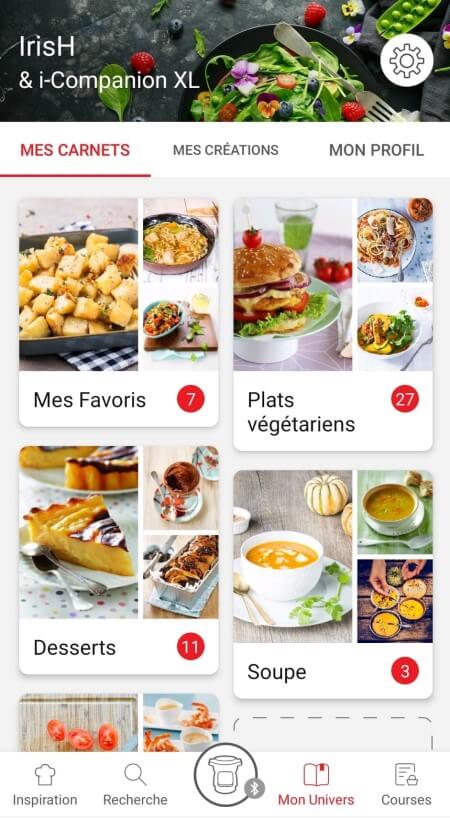
• You can find the recipe booklets that you created with the app.
• You can access the recipe library from "My Universe".
• Please note that if you are not connected to your user account, no recipe will appear.
• You have to go through the app to add or remove recipes from your booklets.
The list of cookings by ingredients offers you cooking times and cooking modes adapted to the quantity you have at your disposal.
There are 5 categories of food: Starches, Vegetables, Fishes, Meats and Eggs.
You can access the ingredients cooking list from the home menu under "Cooking ingredients".
• Use only food-grade vacuum bags specific for cooking (not for storage).
• Do not reuse airtight cooking bags.
• Do not use vacuum boxes.
Express cooking allows you to cook very quickly your recipes for soups, purees, compotes, meat chunks recipes, pasta or rice dishes...

What you need to know:
• The filling level of the bowl should never exceed the MAX level.
• For food that can expand during cooking (rice, seeds, lentils, peas, etc.), do not fill the bowl beyond half its maximum capacity.
• The bowl should always be filled with a minimum of 250 ml of liquid.
• When the timer reaches 0 and the following screen appears, you will notice a release of steam at the back of the lid.

CAUTION: Do not put your hands near the steam outlet!
It is possible that a slight flow of steam may escape from the back of the product during cooking.
Strong browning allows you to brown ingredients strongly and gives a golden and crispy appearance to all types of ingredients such as potatoes, meat...

Ingredients should never be filled above the MAX level. The lid must always be open.

You control the cooking time. Leave the ingredients to cook until you are satisfied with the result. Then click 'STOP' to stop cooking.
Medium browning allows you to brown ingredients and give a golden, crispy appearance to ingredients such as meats, vegetables...

Ingredients should never be filled above the MAX level. The lid must always be open.

You control the cooking time. Leave the ingredients to cook until you are satisfied with the result. Then click 'STOP' to stop cooking.
Soft browning allows ingredients to be gently browned and gives a golden brown appearance to more sensitive ingredients such as fish fillets.

Ingredients should never be filled above the MAX level. The lid must always be open.

You control the cooking time. Leave the ingredients to cook until you are satisfied with the result. Then click 'STOP' to stop cooking.
Soft simmering allows dishes such as meat stews to simmer slowly and gently "over a low heat".

Ingredients should never be filled above the MAX level. The lid must always be open.

You control the cooking time. Leave the ingredients to cook until you are satisfied with the result. Then click 'STOP' to stop cooking.
Medium simmering allows dishes such as meat stews to simmer slowly "over a medium heat".

Ingredients should never be filled above the MAX level. The lid must always be open.

You control the cooking time. Leave the ingredients to cook until you are satisfied with the result. Then click 'STOP' to stop cooking.
Strong simmering allows dishes such as meat stews to simmer "over high heat".

Ingredients should never be filled above the MAX level. The lid must always be open.

You control the cooking time. Leave the ingredients to cook until you are satisfied with the result. Then click 'STOP' to stop cooking.
The "Yogurt" mode is accessible in the "Miscellaneous" manual modes.
The "Sous vide" mode is accessible in the "Miscellaneous" manual modes.
• Low temperature cooking is ideal for long cooking times, up to 12 hours, with the lid closed for a tender and very melting result.
• Classic simmering is used with the lid open to thicken or reduce a sauce at the end of cooking.
• The "Sous vide immersion" mode cooks the vacuum-sealed ingredients and immersed in 3L of water.
• The "Sous vide Eco" mode cooks the ingredients with only 5 cl of water using the steam basket.
• The "Gentle steam" mode is ideal for healthily cooking delicate ingredients such as fish and seafood.
• The "Boost steam" mode is more suitable for meat or vegetables.
Gentle low temperature cooking allows you to simmer dishes such as meat stews "on a low heat", with slow and gentle cooking at 75°C.

Ingredients should never be filled above the MAX level. The lid must always be closed.

You control the cooking time. Leave the ingredients to cook until you are satisfied with the result. Then click 'STOP' to stop cooking.
Strong Low temperature cooking allows dishes such as meat stews to be simmered "over medium heat", with slow cooking at 85°C.

Ingredients should never be filled above the MAX level. The lid must always be closed.

You control the cooking time. Leave the ingredients to cook until you are satisfied with the result. Then click 'STOP' to stop cooking.
Classic simmering allows you to heat from below like in a Dutch oven, to concentrate the flavors.

Ingredients should never be filled above the MAX level. The lid must always be open.

You control the cooking time. Leave the ingredients to cook until you are satisfied with the result. Then click 'STOP' to stop cooking.
قبل تنظيف الشواية، إنتظروا حوالي 45 دقيقة حتى يبرد الجهاز. وللتخلّص من بقايا الطعام القاسية الموجودة على ألواح الشوي أو على الجوانب؛ ننصحكم بإستخدام ملعقة خشبيّة أو بلاستيكية. لتنظيف الشواية وأجزائها، إستخدموا قطعة قماش مشبّعة بالماء الساخن، ولا تغمروا المشواة بالماء. بالإضافة إلى ذلك، لا تستخدموا منتجات التنظيف الكاشطة أو منتجات تحتوي على الوقود لأنها قد تتلف الجهاز.
لأنّ الجهاز لم يُفتح تمامًا خلال وضع الطعام على صفائح الشواية قبل الطبخ.
الحلول: حتى يُحدّد الجهاز بدء دورة الطبخ، يجب أن يكون مفتوحًا تمامًا قبل كل دورة طبخ. إذا لم يحصل هذا، فلن تبدأ دورة الطبخ. افتحوا الشواية تمامًا ثمّ أغلقوها واضغطوا على الزر "OK".
لا تستخدموا جهازكم. لتفادي أي خطر، استبدلوه من أحد مراكز الاصلاح المعتمدة.
يعني هذا الأمر أنّ الجهاز رصد مشكلة وأنّه يحتاج إلى التصليح.
إذا تركت الجهاز مفتوحًا بين 2 دورة للطهي، فسيتحول إلى وضع الأمان وسيتعين إعادة ضبطه.
لضمان أفضل نتائج للطهي، يجب عدم فتح الجهاز لأكثر من 1 دقيقة أثناء دورات الطهي. قم بإعادة الضبط عن طريق فصل الجهاز لمدة 2-3 دقائق وإعادة تشغيل دورة الطهي بالكامل.
إذا كانت سماكة الطعام أقل من 5 ملم، فهذا يعني أنّها رقيقة جداً (مثل شرائح اللحم)، ولن يُحدّد الجهاز وجودها.
لكنها ليست بمشكلة، ما عليكم إلّا الضغط على زر "OK" حتى تبدأ عملية الطبخ.
قد تكونون بدأتم الطبخ من دون تسخين مُسبّق.
لمعالجة هذا الأمر: أطفئوا الجهاز، وافرغوا الطعام، وأعيدوا تشغيل الجهاز ثمّ عودوا إلى مرحلة اختيار البرنامج وانتظروا حتى تنتهي فترة التسخين المُسبّق قبل طبخ الطعام.
في حال استمرار المشكلة بعد تنفيذ النصائح أعلاه، فقد يكون الجهاز بحاجة إلى تصليح.
• لأن صفائح الشوي لم توضع بالطريقة الصحيحة على تعليقات الصفائح، لذلك لا يُمكن لأجهزة الاستشعار تحديد وجود الطعام.
ولمعالجة هذه المشكلة، أطفئوا الجهاز ودعوه يبرد ثمّ أعيدوا تركيب صفائح الطبخ بطريقة صحيحة.
• إذا بدأتم بالطبخ قبل نهاية مرحلة التسخين المُسبّق.
لمعالجة هذه المشكلة: أطفئوا الجهاز، ثمّ أخرجوا الطعام وأغلقوا الجهاز. أعيدوا تشغيل الجهاز مرّة أخرى، ثمّ اختاروا البرنامج الّذي تريدونه وأكّدوا عليه ثمّ انتظروا نهاية مرحلة التسخين المُسبّق.
• في حال استمرار المشكلة بعد تنفيذ النصائح أعلاه، فقد يكون الجهاز بحاجة إلى تصليح.
قد يكون ذلك بسبب التنظيف غير السليم للوحات الطهي.
ننصح بغسل لوحات الطهي الخاصة بك بالطريقة التالية قبل وضعها في غسالة الأطباق لإزالة أي بقايا طعام:
- نقع الألواح في الماء الساخن مع صابون الأطباق الخاص بإزالة الشحوم لمدة 30 دقيقة،
- تنظيف جانبي اللوح بقطعة إسفنج أو فرشاة أطباق، والماء الساخن وصابون الأطباق الخاص بإزالة الشحوم،
- الشطف،
- وضع اللوحات في غسالة الأطباق.

1. تأكد من وجود مقبض فتحة الغطاء في موضع الفتح.
2. قم بفك الصامولة الموجودة على الغطاء المعدني.

انتظر حتى يبرد الجهاز لفك الصامولة المركزية وإزالة الغطاء.
Please check the WiFi icon on your product.

WiFi icon crossed out
Your product is not connected to the WiFi (via the modem or via a mobile phone).
Therefore, you can only access the 250 recipes contained in your product.
We advise you to check that WiFi is activated on your modem/phone and to get closer to your modem/phone.
We remind you that your product cannot connect to a 5GHz WiFi network, a WiFi network with a password containing special characters, as well as open WiFi networks (which do not require a password).

WiFi icon exclamation mark
Your product is connected to the WiFi (via modem, mobile phone,...), but not connected to the database.
Therefore, you can only access the 250 recipes contained in your product.

WiFi icon
Your product is connected to the WiFi (via modem, mobile phone,...) and to the database. As a result, you can access more than 1,500 recipes.
• From the home menu, select "Settings".
• In "My appliance", you can choose three brightness levels.
1. Check that the appliance is not in standby mode by pressing the rotary knob.
2. Make sure that the power cable is connected to the power supply.
3. If the product is powered, unplug the power cord for 10 - 15 seconds and then plug it back in.
If the problem persists, contact our customer service or take your appliance to an approved service centre.
To view the images, it is necessary to authorize the downloading of photos via a Wi-Fi connection. This validation takes place at the initial startup of the device.
This setting can be changed in the "Settings" section of the Cookeo.
تتضمن جميع الطرز خلاف Touch بسعة 6 لترات قُدورًا متوافقة.
يحتوي طراز Touch على القِدر الخاص به، وهو غير متوافق مع الطرز الأخرى.
لا، القِدر سعة 3 لترات مخصص للطرز بسعة 3 لترات.
لا يمكن للقِدر سعة 3 لترات أن يحل محل الوعاء سعة 6 لترات، ولا يمكن تركيبه فيه.
The jars, their lids and the holders* can be washed in the dishwasher.

* 8 jars set (ref. XA6140E0)
6 jars set (ref. XA606000):
You can place 4 jars underneath and 2 jars on top.
Be careful to place the two upper jars towards the front to prevent them from tipping over or hindering the lid from closing.

8 jars set (ref. XA6140E0):
You can place the 8 jars with the 2 supports of 4 jars one on top of the other in the bowl.
No, they can only be used with the modes: pressure cooking, reheating.
Yes, they are compatible with its 4 cooking modes without their lids.
The jars can be used in a temperature range between -20°C and 150°C.
يرجى الذهاب إلى قسم "الملحقات" من الموقع لسهولة العثور على كل ما تحتاجون إليه للمنتج الخاص بكم.
يمكنكم العثور على مزيد من المعلومات التفصيليّة في قسم الضمان من هذا الموقع.
يحتوي الجهاز الخاص بكم على مواد قيّمة يمكن إستخراجها أو إعادة تدويرها. لذا اتركوه في نقطة محليّة لتجميع النفايات المدنيّة.
إذا كنت تعتقد أن هناك جزء واحد ناقص، يرجى الاتصال بمركز خدمات المستهلك وسوف نساعدك في إيجاد حل مناسب.